Nicegram: AI x Dual Telegram
- 4.5
- Rating
- 5.00M
- Installs
- Free
- Price

 Analysis by App-foxy
I spend a lot of time in Telegram, so I approached Nicegram: AI x Dual Telegram as a practical replacement for the standard Telegram experience rather than as a completely separate social network. It is a free social app from Appvillis, aimed at people who want more ways to manage conversations, accounts, and AI-assisted messaging in one place. After using it, my impression is that its biggest value comes from reducing friction for busy Telegram users, although the extra tools also make the interface feel more demanding.
The app has a mature audience rating of 17+, which is worth taking seriously if you are choosing it for a family device or for someone who prefers a simpler, tightly controlled communication environment. It has reached over five million installs and holds a 4.5 average from around seventy thousand ratings, so it is not an obscure experiment. Still, popularity does not automatically make it suitable for everyone. The real question is whether its additional controls and AI features make Telegram easier for you, or simply add another layer to learn.
How Nicegram feels when reading and navigating
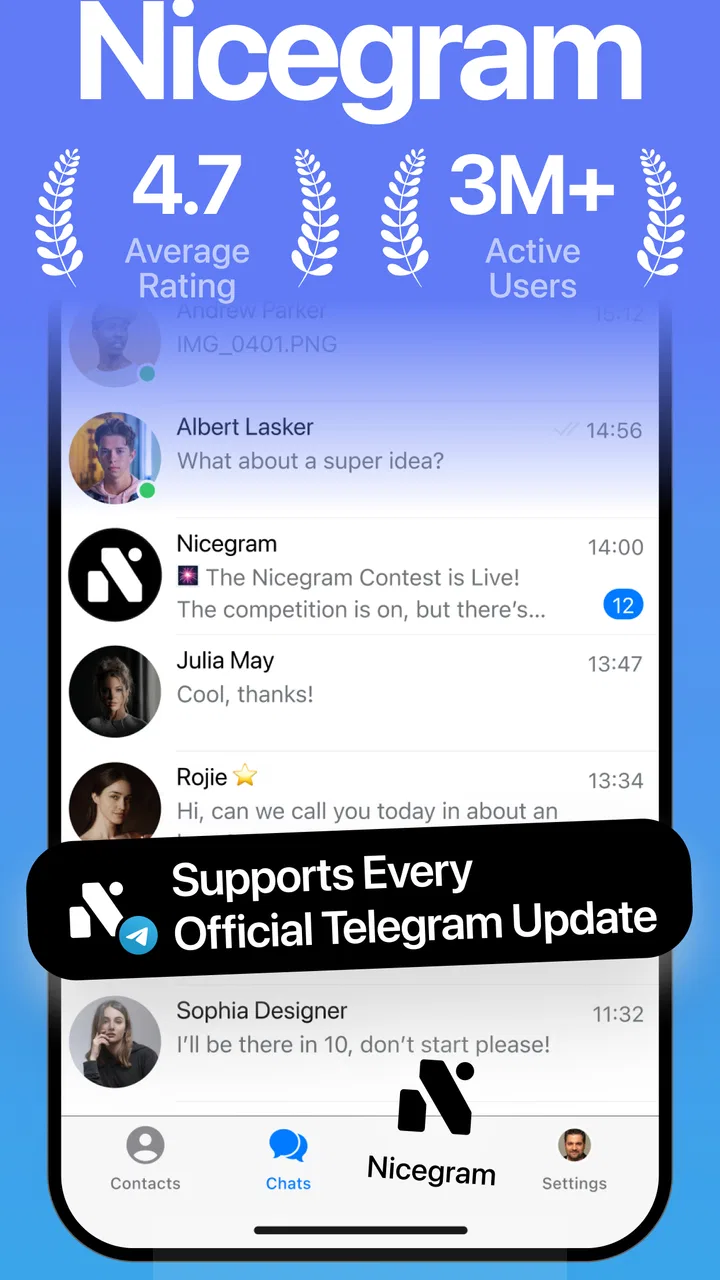
My first impression was that the app stays recognizable to anyone who already understands Telegram. That matters because switching between a familiar chat list, conversations, groups, and account controls is easier than learning a completely new social platform. I did not feel lost in the basic messaging flow, and people who already use Telegram should be able to start chatting without rebuilding their habits from scratch.
You May Also Like

 Blood Strike: 2.5 Anniversary
Blood Strike’s Loadouts Turn Every Drop Into a Tactical Gamble
A close look at Blood Strike’s custom loadouts: how fast access to signature weapons reshapes its battle royale rhythm, rewards preparation, and narrows the gap between fights.

 Pandora - Music & Podcasts
Pandora’s Music Is Easy to Start, but Harder to Recover
Pandora’s strength is its low-effort path from a seed to a station. Its weak spot is how much confidence it asks you to place in connection, setup, and quiet recovery.

 8 Ball Pool
 Is Built on Rivalries, Rematches, and Routine
A close look at the rivalries, rematches, shared routines, and unanswered safety questions that turn a quick pool match into a persistent mobile community.

 Samsung Music
’s Quiet Strength Is Playing What You Already Own
Its reach comes less from spectacle than from dependable access to a personal library. That simplicity is both the app’s strongest retention engine and its ceiling.

 AccuWeather: Weather Radar
AccuWeather Review: A Quick, Clear Forecast for Everyday Decisions
For everyday plans, the best forecast is the one you can understand quickly. AccuWeather makes rain timing, radar, and local conditions easy to act on, with a few trade-offs.

 Hill Climb Racing
Why Hill Climb Racing Still Turns Crashes Into One More Run
A tiny car, a bumpy hill and one more upgrade: Hill Climb Racing keeps resurfacing because its simple chaos makes every near-miss feel personal.
More From Our News Desk
View All News


The challenge appears when you move beyond ordinary conversations. Nicegram is built around more than sending messages: it brings AI tools, multiple-account handling, and security-related options into the Telegram experience. Those additions are useful, but they create more decisions. A person who only wants to open a chat and reply may find the extra controls visually or mentally noisy compared with the regular Telegram application.
For readability, I found the familiar conversation layout helpful because messages remain the focus instead of being hidden behind a complicated dashboard. Long discussions are still easier to follow when I use short replies, clear line breaks, and saved references rather than trying to remember where a detail appeared. The AI tools can be useful when a conversation becomes dense, but I would treat their output as assistance, not as an automatic replacement for reading the original exchange.
One practical workflow stood out to me. When I had several conversations competing for attention, I used the account and chat organization features to separate personal communication from other Telegram activity. That is more useful than simply having multiple profiles available: it lets me approach each account with a clearer purpose. The trade-off is that switching contexts requires discipline. If you reply from the wrong account, the convenience of having everything together becomes a liability.
Navigation also depends on how much of Nicegram you choose to use. If you stay with basic messaging, the learning curve is modest. If you explore AI assistance, account management, and security settings immediately, the experience becomes more technical. I recommend starting with one account and a small number of tools, then adding features only when a real problem appears. That approach makes it easier to tell whether a function is helping or merely adding another button to remember.
AI assistance is most useful as a second pair of eyes
The AI angle is appealing, especially when I need help making a message clearer or dealing with a large amount of text. I found the idea more valuable for preparation than for fully automated communication. Drafting a polite response, shortening a rambling thought, or getting a quick handle on a long exchange can save effort. I would still review every suggested wording before sending it, particularly in work, family, or emotionally sensitive conversations.
That caution is not just about accuracy. A message that sounds polished can still be wrong for the relationship or the situation. AI may remove the informal tone that makes a personal chat feel natural, or it may make a short reply sound more formal than intended. My preferred method is to use it for a first draft, then restore my own voice. This is a small but important distinction between an assistant that supports communication and one that begins speaking for you.
For readers with reading fatigue, the AI tools may offer relief when a Telegram conversation becomes overwhelming. However, I would not assume that every tool automatically solves comprehension problems. The usefulness depends on the kind of text, the clarity of the request, and your willingness to check the result. A short, specific instruction generally produces a more usable outcome than asking the app to handle an entire chaotic chat without direction.
Motor, sensory, and situational considerations
Nicegram can be a good fit for people who need to reduce repeated navigation between separate Telegram accounts. Keeping those contexts inside one app may mean fewer app switches, fewer login interruptions, and less repeated tapping. For someone managing community conversations alongside personal messages, that consolidation can make a noticeable difference during a busy day.
At the same time, multiple accounts introduce a motor and attention trade-off. More choices can mean more opportunities to tap the wrong profile or send a message from the wrong context. I would not recommend rushing through account changes, especially when replying from a notification or while distracted. A simple pause to check the active identity is one of the most useful habits in this app.
People with limited fine-motor control may appreciate workflows that avoid unnecessary switching, but they may also find dense controls harder to operate comfortably. I cannot treat the app as a substitute for operating-system accessibility tools, and I would test it with the phone’s own text, display, touch, and voice settings before committing to daily use. The experience can vary significantly depending on device configuration and personal needs.
For sensory comfort, the main issue is information load rather than one specific feature. A conventional Telegram client can feel calmer because its purpose is more narrowly defined. Nicegram places more emphasis on optional tools, and that can be energizing for an experienced user but tiring for someone who is sensitive to clutter or frequent decisions. I found it best when I deliberately ignored features that did not solve an immediate problem.
Notifications deserve a thoughtful setup. If several accounts and active chats are involved, the number of interruptions can grow quickly. I would begin with only the conversations that truly require immediate attention and silence the rest where appropriate. This is not a glamorous tip, but it has a bigger effect on day-to-day accessibility than exploring every advanced option. A messaging app is easier to live with when it does not constantly pull you away from the task in front of you.
Nicegram may also suit people who communicate in short bursts throughout the day. I could open a conversation, use an AI tool when a reply needed shaping, and return to another account without leaving the Telegram ecosystem. That workflow is convenient for people who work across communities or identities. It is less attractive for someone who wants a quiet, single-purpose messenger with almost no configuration.
Where the app helps in real-life situations
Imagine managing a volunteer group while keeping personal conversations separate. In the standard Telegram app, you can already use Telegram’s own account capabilities, but Nicegram’s focus on combining account handling with extra assistance may make the overall routine feel more deliberate. I would use one identity for group coordination, another for private communication, and AI help only when a long update needed to become a concise announcement. Before sending, I would check the account, audience, names, dates, and tone manually.
Another useful case is a person who receives long messages but has limited time or energy to process them. The AI tools may help identify the main point or prepare a shorter response, reducing the effort needed to participate. The important limitation is that summaries can remove context, humor, hesitation, or details that matter. For medical, legal, financial, or emotionally serious subjects, I would read the original message rather than relying on a condensed version.
Travel and changing routines are also situations where the unified approach can help. When I am moving between personal, group, and project conversations, having the relevant Telegram activity in one familiar environment reduces the need to remember which app contains which discussion. Yet this convenience only works if I keep accounts clearly separated and avoid treating the app as a magical solution to information overload.
For users who communicate with people who have different abilities or preferences, the app can support more flexible preparation. I might use AI to make a message less wordy, add clearer structure, or turn a hurried draft into something easier to scan. That can improve the recipient’s experience, but it should be done thoughtfully. Accessibility is not the same as making every message sound identical, and the best format depends on the person receiving it.
Security features need active attention
Security is part of Nicegram’s appeal, but I would not interpret that as permission to stop thinking about account safety. The app brings security-related tools into the Telegram workflow, which may encourage users to review how they manage their conversations and identities. That is helpful, particularly for anyone juggling personal and public communication.
However, security is partly a behavior problem. A user can still choose a weak routine, send sensitive information to the wrong chat, or approve a message without checking the active account. My advice is to treat the app’s security controls as a reason to review your habits, not as a guarantee that every risk disappears. The more accounts you connect, the more important it becomes to know exactly where a message is going.
I also recommend being selective about what you place into AI-assisted workflows. If a conversation contains private details, confidential work, or information belonging to another person, pause before asking for help with it. Even when an AI feature is convenient, privacy expectations should guide the decision. For everyday wording or low-risk summaries, the benefit may be worth it; for sensitive content, manual editing is the safer habit.
Remaining barriers and who should choose something else
The clearest barrier is complexity. Nicegram is not simply Telegram with a different coat of paint; its appeal depends on using added capabilities. That makes it more interesting for power users, but less inviting for people who want a minimal messenger. If your main requirement is reliable one-to-one chatting with as few choices as possible, the regular Telegram app may be a better match.
There is also a privacy and trust decision that comes with any enhanced client. You are choosing an app developed by Appvillis rather than using only Telegram’s official application. Some people will consider the additional tools worth that choice, while others will prefer to minimize the number of layers between themselves and the original service. I would make that decision based on how much I value the added workflow, not simply on the presence of a free download.
The app is free to install, but in-app purchases range from $1.99 to $89.99 per item. That does not automatically make it poor value, but it means I would explore the free experience carefully before paying for anything. A useful question is whether a purchase removes a genuine daily obstacle or merely unlocks a feature that sounds impressive. Users on a strict budget should be especially cautious about adding optional costs to an app they may use only occasionally.
The age rating also limits its suitability for younger users. Even apart from the mature rating, Telegram communities can vary widely in tone and content, so I would not hand this to a child simply because the interface looks familiar. Adults choosing it for shared devices should consider who can access the accounts and whether the app’s broader communication environment fits the household.
Version 1.57.0 is the current version, and the app supports Android 7.0 or later. That makes it relevant to people using older Android phones, although compatibility alone does not tell me how comfortable the experience will be on every screen size or device setup. If reading small text, tapping compact controls, or switching accounts is already difficult on your phone, I would test the app before moving all communication into it.
Compared with the usual Telegram app, Nicegram’s advantage is concentration: AI assistance, account flexibility, and security-oriented controls are central to the experience. Compared with a simple AI writing tool used alongside Telegram, it is more convenient because the assistance sits closer to the conversation. The disadvantage in both comparisons is the same: more capability means more configuration, more choices, and more responsibility when checking what you send.
I would also skip it if I dislike AI involvement in personal communication, even when the tools are optional. The app’s identity is tied closely enough to that idea that users seeking a purely traditional messenger may feel the extra emphasis is unnecessary. Likewise, if I rarely use more than one Telegram account, the account-management benefit may not justify changing clients.
My inclusive verdict after using it
Nicegram works best for adults who already rely heavily on Telegram and want to reduce the effort of handling multiple conversations or identities. I especially see its value for people who regularly rewrite messages, process long discussions, or move between personal and community roles. Its accessibility story is practical rather than absolute: it can simplify some routines, but it can also create a denser environment for users who need minimal visual and cognitive load.
My strongest recommendation is to build a personal routine around it instead of enabling everything at once. Keep account identities distinct, check the active profile before sending, use AI for drafts rather than unquestioned final replies, and control notifications early. Those habits address the app’s most realistic sources of friction and make its extra features easier to manage.
I would recommend it to an experienced Telegram user who wants more control and is comfortable reviewing settings. I would point a beginner, a child, or someone seeking a very quiet interface toward a simpler alternative. The free entry point makes trying it straightforward, but the mature audience rating and optional purchases deserve attention before making it your main messenger.
Overall, Nicegram: AI x Dual Telegram is most convincing when it removes repeated work without pretending to remove judgment. It can make Telegram communication more organized and adaptable, particularly for users with demanding schedules or several accounts. For me, the deciding factor is not the number of tools but whether I can keep the experience calm, readable, and intentional. If I can, it becomes a genuinely useful social app; if I cannot, standard Telegram is probably the clearer choice.
FAQs for Nicegram: AI x Dual Telegram
01What is Nicegram: AI x Dual Telegram?
Nicegram: AI x Dual Telegram is an alternative Telegram client that adds extra tools and customization options to the standard messaging experience. Depending on the version and platform, it may include AI-assisted features, support for managing more than one Telegram account, enhanced chat organization, translation or writing assistance, and additional privacy or interface settings. It still relies on Telegram accounts and services, so users should understand that it is a third-party app rather than the official Telegram application.
02Can I use my existing Telegram account with Nicegram?
Yes, Nicegram is designed to work with existing Telegram accounts, allowing you to sign in using your phone number and access compatible chats, groups, channels, and contacts. The login process may require a verification code sent through Telegram or SMS, and two-step verification can add another security check. Before switching, make sure you can access your account and recovery email, and never share login codes with anyone claiming to provide support.
03Is Nicegram safe and private to use?
Nicegram uses Telegram’s account infrastructure for messaging, but installing an alternative client means you should review its permissions, privacy policy, and data practices carefully. Avoid assuming that every additional feature has the same privacy behavior as the official Telegram app. Keep the application updated, use a strong Telegram password, enable two-step verification, download only from a trusted store, and avoid entering sensitive information into unfamiliar AI tools or third-party integrations.
04Does Nicegram support multiple Telegram accounts?
One of Nicegram’s main attractions is its focus on handling multiple Telegram accounts more conveniently. This can be useful if you separate personal, work, business, or community communication. Availability and account limits may vary by operating system, app version, and subscription plan. After adding accounts, check notifications and privacy settings individually, because messages from different profiles can be easy to confuse if they are not clearly labeled.
05Is Nicegram free, and are there subscriptions or in-app purchases?
Nicegram can generally be downloaded without an upfront payment, but some advanced features may be restricted behind a subscription, premium tier, or in-app purchase. These features can include expanded AI capabilities, additional customization, account-management tools, or higher usage limits. Pricing and included benefits may change over time and can differ between Android and iOS, so review the store listing and subscription terms before confirming a purchase.
Pros
- Supports multiple Telegram accounts in one app
- AI tools can help summarize and organize conversations
- Offers extra customization options for the chat interface
- Includes useful filters for managing large group chats
- Available on iPhone and Android devices
Cons
- Some advanced features require a paid subscription
- Third-party access may raise privacy concerns for cautious users
- AI features may produce inaccurate or incomplete summaries
- The interface can feel crowded with its many extra tools
- Updates may depend on Telegram compatibility changes

Nicegram: AI x Dual Telegram
Gallery